single node deployment of wazuh and agent in AWS and Azure Server respectively

RAMESH
0 followers
Organizations use various security tools including hardware and software to prevent organization infrastructure from security breach and incidents, also these security mechanism used in response and investigation during any security incidents. An organization may have one or more from below mentioned cybersecurity defense strategy as their infrastructure supports -
Wazuh is an open source security tool used in cyber security defense strategy. Wazuh is most used in SOC and SIEM environments. It one of the popular security tools for monitoring of events and incidents in a host. Wazuh is an HIDS (Host Intrusion Detection System), that's mean it collects event (logs) from host computers using agents and analysis them. Its can be integrate with various other mechanism like clouds, SOAR tools, IDS, IPS and incident response.
Wazuh can be deployed in cloud (AWS/Azure/GCP), docker, Kubernetes, virtual machine and host machine as well. Wazuh deployment provides two methods for deployment :
Wazuh itself divide it's functionality into some separate components. These components are connected with each others with APIs and share data or events in between. Every components has their specific features and capacity to perform operations. Below I'm mentioning Wazuh components:
We will use single node deployment to deploy Wazuh inside AWS server and use docker container. To setup and install agent we will use Azure VM machine to deploy.
We will deploy our Wazuh in docker container so before that we have to install docker in AWS server. Below I'm mentioning commands I used to install docker and to know how to access AWS terminal visit my previous blog https://zerobytes.me/blogs/ed420889-3257-4491-b4ec-4473450b94e8]
$ sudo apt update -y && sudo apt upgrade -yUpdate memory allocation maximum size for program (docker) in VM machine
$ sudo sysctl -w vm.max_map_count=262144Install docker and check for status and if it shows "Active or Running" then docker installed properly otherwise you should do some troubleshooting
$ curl -sSL https://get.docker.com | sh$ sudo systemctl status dockerOnce docker installed we have to install compose tool for that execute below commands
$ sudo curl -L "https://github.com/docker/compose/releases/latest/download/docker-compose-$(uname -s)-$(uname -m)" -o /usr/local/bin/docker-compose$ sudo chmod +x /usr/local/bin/docker-compose$ docker-compose --versionIf last command shows proper compose version then it's installed properly
Once we install docker and compose, now we have to install wazuh and generate certifications. I used below mentions commands
$ git clone https://github.com/wazuh/wazuh-docker.git -b v4.14.5$ cd wazuh-docker/single-node$ docker compose -f generate-indexer-certs.yml run --rm generator$ sudo docker compose -f generate-indexer-certs.yml run --rm generator$ sudo docker compose up -d (Background)or$ sudo docker compose up ( Foreground )$ sudo docker ps # find running status of wazuh componentsCertification generator will issue various certification you can see in config directory.

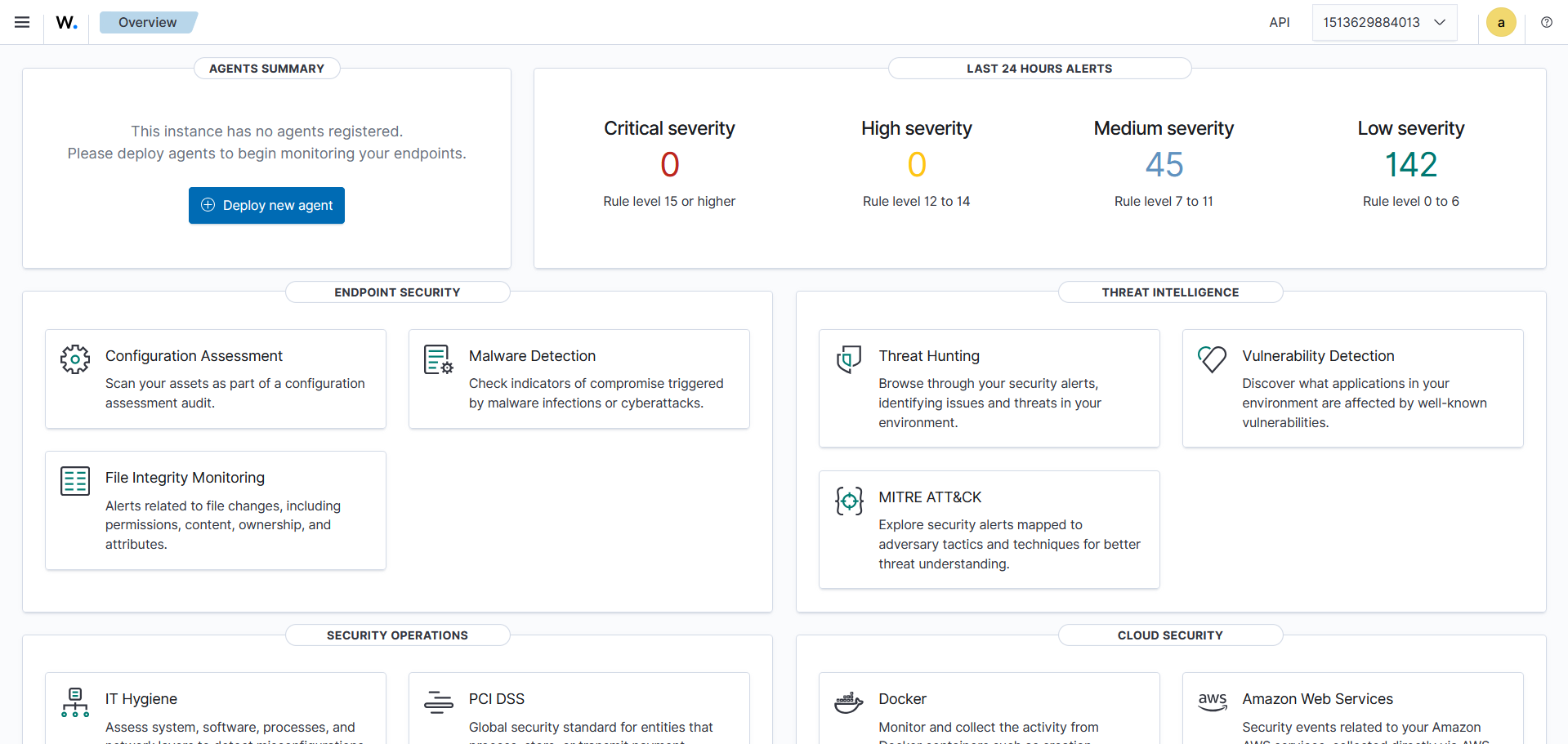
Now visit https://<Server IP Address> you can access Wazuh dashboard. Default password for "admin" user is "SecretPassword" and these you also can see in file config/wazuhindexer/internalusers.yml
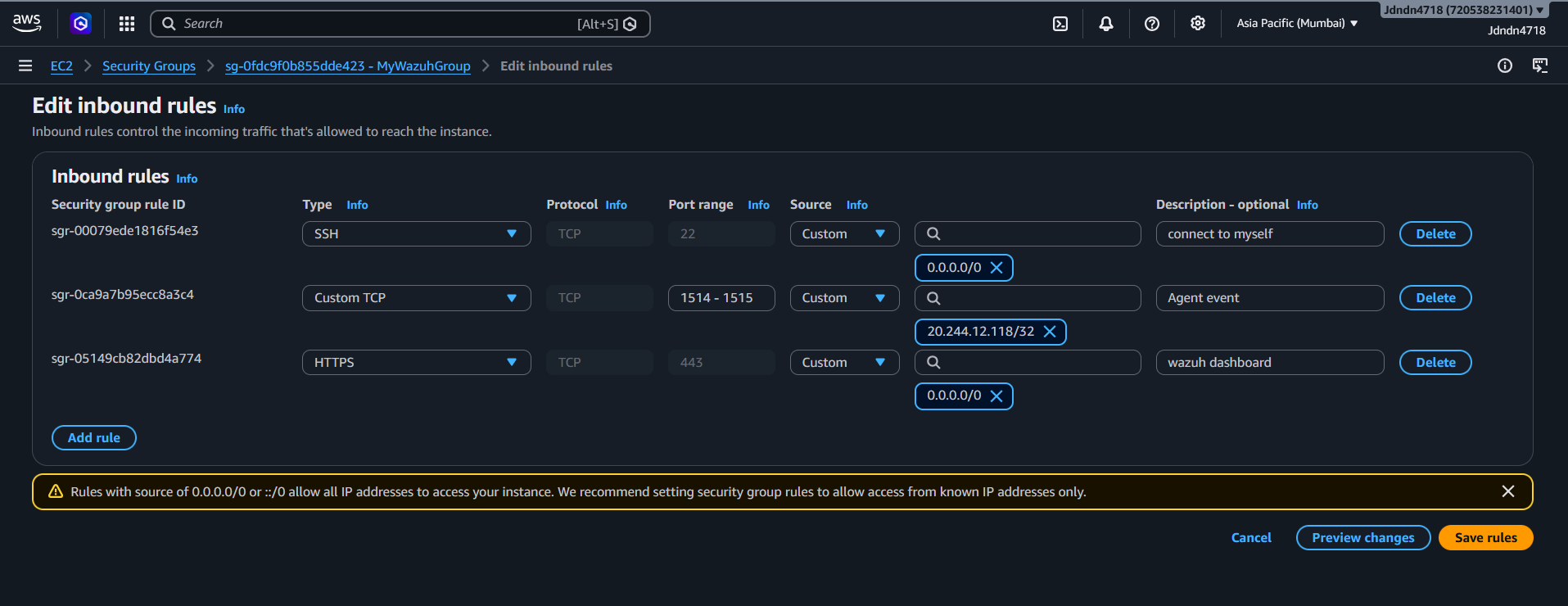
One important thing is that before install Wazuh in AWS server. We have to setup security groups (Inbound and Outbound network traffic) for Wazuh in AWS and add that into that EC2 instance. I have setup below mentioned security group for my AWS EC2 instance. In custom TCP with port 1514-1515 are used in communication between agent and Wazuh manager.
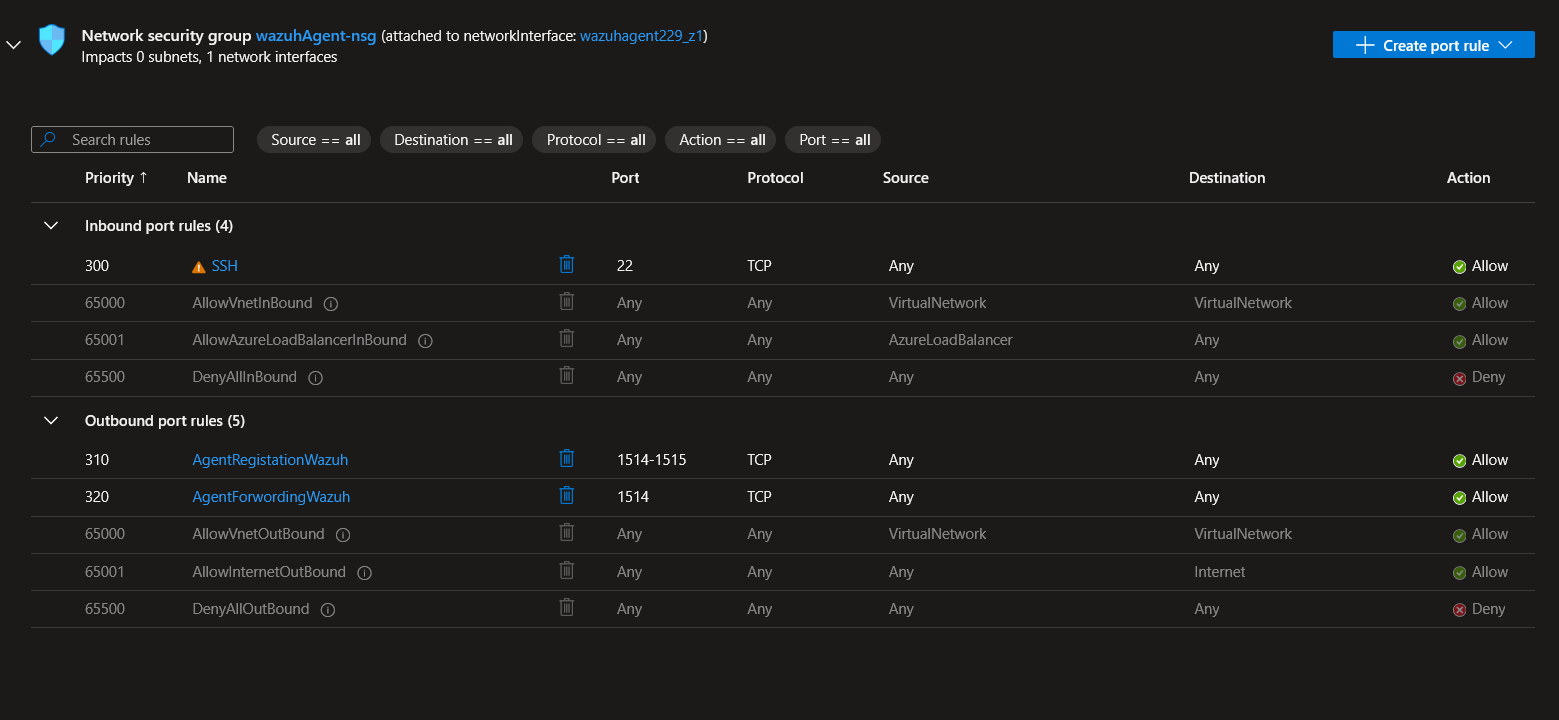
One more thing if your system agent host is on cloud VM then make security groups to define inbound and outbound network traffic.
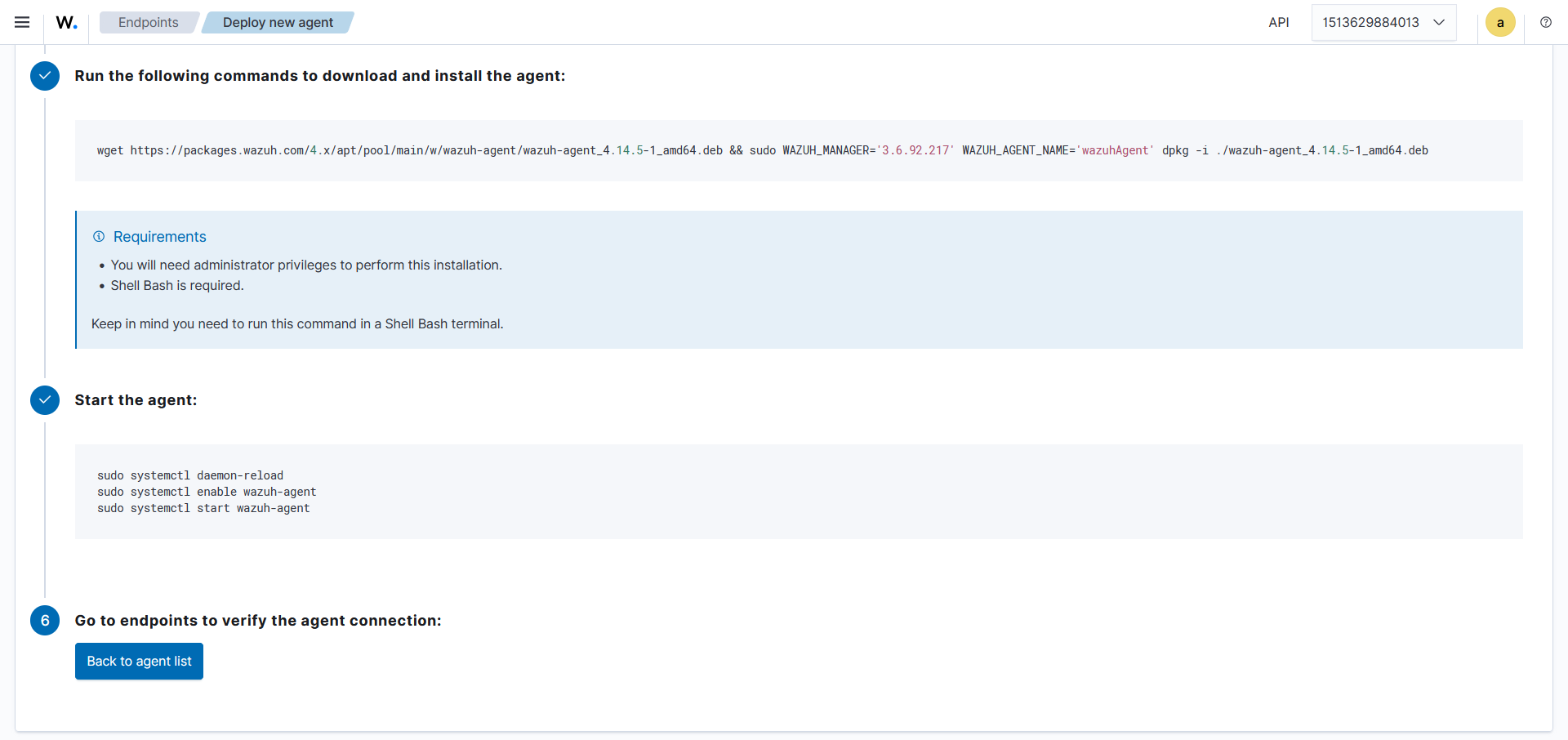
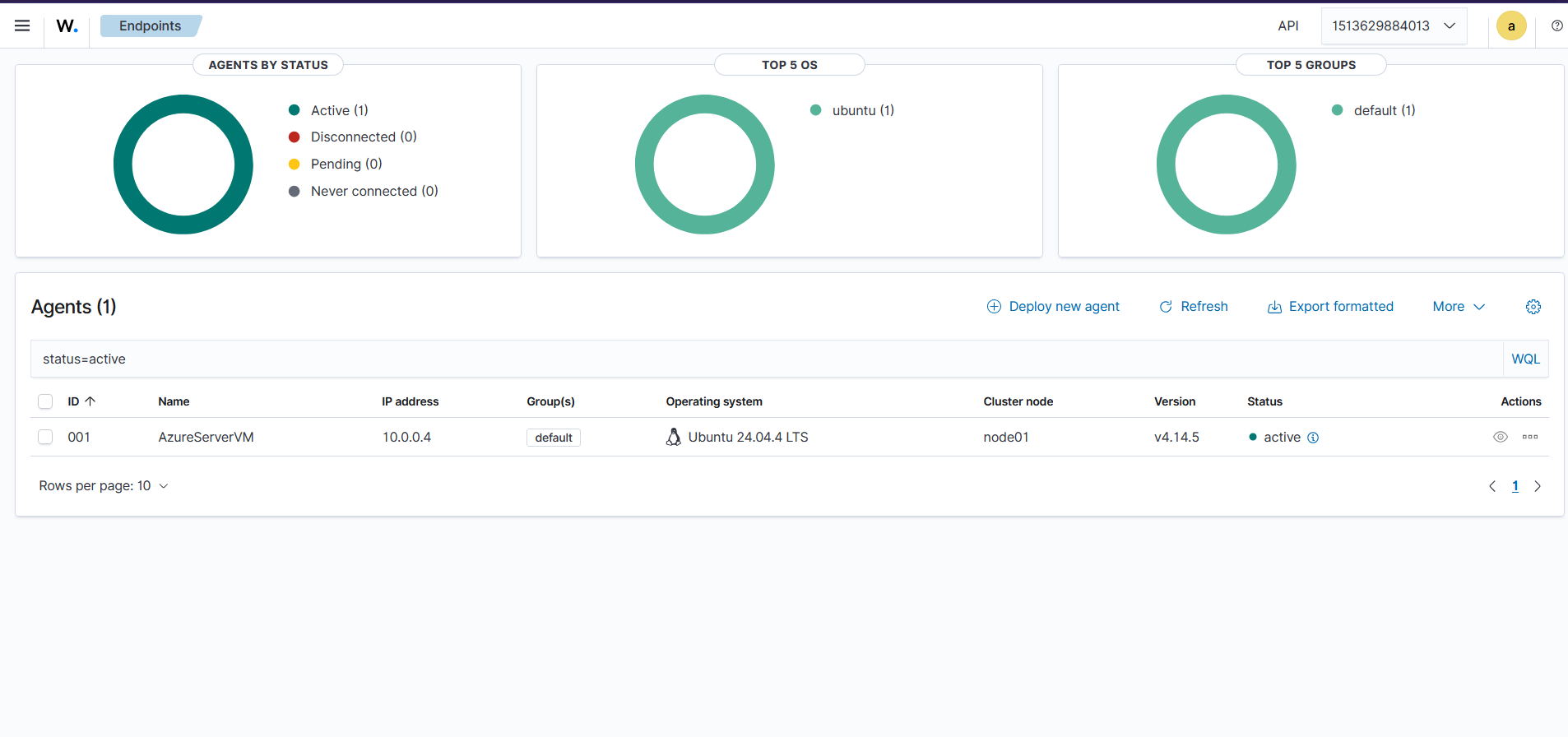
To deploy agent on Azure VM, we get its public IP address and go to deploy endpoint form in Wazuh dashboard and enter required details about host machine where agent will be installed. IP address will be same where this dash board are running. Once all details filled copy executable command and execute in Agent host machine after that restart agent with below mentioned commands.
We can check agent running status using below command:
$ sudo systemctl status wazuh-agentNow we can see active host in wazuh dashboard
Thank You !!